

Line Item Extraction

What Is Line Item Extraction?

Line item extraction is a crucial portion of the process of invoice parsing and tracking spend within organizations. In this post, we’ll discuss the importance of line item extraction, how it works, how OCR and other technologies play a role in this process, and more.

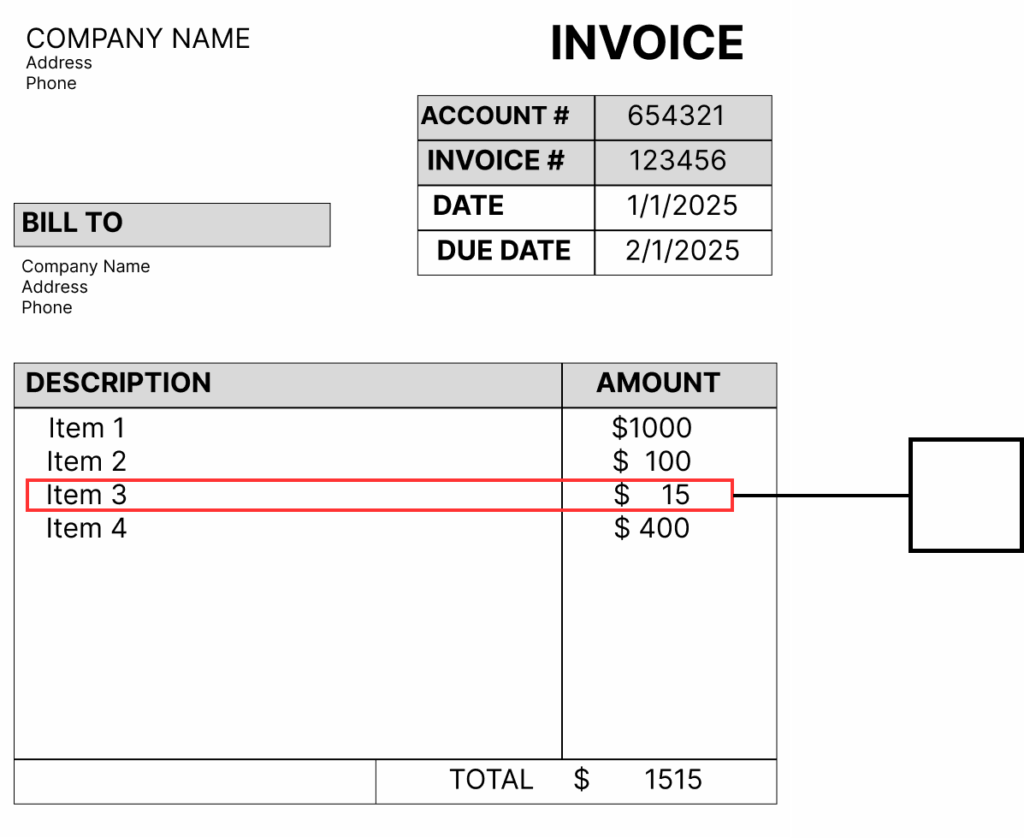
Line item extraction is the process of extracting the details of your purchase from an invoice, bill, or receipt. It is an extremely efficient way to keep track of expense categories and track your organization’s resource expenditure. The process on its own is fairly straightforward with the right technology; however, it wasn’t always as easy as it is today.

Traditionally, line item extraction was done manually by data entry professionals. Depending on the invoice, this can be an extremely time-consuming and error-prone process. In the process of trying to save money on various back-office expenses, extracting data from different line items of an invoice isn’t exactly optional for most organizations, although it is one of the more tedious tasks.
Line Item Extraction

Why Is Line Item Extraction Important?

Line item extraction is useful for most organizations for tracking expenses. It allows for the categorization of different items in order to track spending for different areas. Invoices can be extremely complex and have the potential for errors created either internally or externally.

Once this data is taken from the invoice, it is sent to an ERP or other central financial technology. This helps organizations to keep track of spending, find errors within invoices if numbers don’t add up, and add structure to invoice data for better visibility in both the short and the long term.

How Does OCR Play A Role In Line Item Extraction?

OCR assists in line item extraction by being the extractor. As OCR becomes more advanced, it is increasingly able to extract details and understand them in an almost human-like way. OCR is a great alternative to manual extraction of line item data as it can essentially accomplish the same task but faster, and in a much more reliable way, generally.

For organizations that pair OCR with AI and ML, the extraction process can go a step further, sending not only the correct information to the ERP but also contextualized information. AI and ML can greatly increase the accuracy of the data extracted from the document. Additionally, when AI/ML assists OCR, data can be extracted from all different kinds of documents, even if line items are harder to find.

Learn More

Extracting data from line items of financial documents is an essential practice made easier through technologies such as OCR. With this technology growing stronger and stronger, line item extraction is easier than ever. Adding this practice to your organization, if not already used, is essential to greater spending visibility. To learn more, contact ICG about OCR/AI/ML technology.

Posts you might like:

How Does Invoice Volume Affect Back Office Performance?

As a business scales, increasing revenue naturally drives a surge in transactional volume across finance and operations. While higher volumes of incoming and outgoing invoices reflect positive growth, it can also introduce critical stress points into your back-office...

The Key to Managing Your Vendors Better

For many enterprises, vendors are the backbone of day-to-day operations. But with manual packet processing, untracked compliance expirations, and fragmented communication channels, unnecessary friction around vendors can run rampant. This can expose your supply chain...

Procurement Best Practices

In the ideal enterprise, the financial back office operates smoothly, operations scale effortlessly, supplier relationships thrive, and cash flow stays predictable. But when back-office procurement relies on manual invoice matching and disconnected emails or...

Why the Back Office Needs Specialized Exception Processing

ERPs record transactions, manage general ledgers, keep inventory aligned, and handle financial workflows. When your transactions follow the perfect path, your ERP operates like a well-oiled machine. However, the real world rarely fits neatly into rigid database rules....

Maximizing Efficiency in the Back Office

From Accounts Payable and procurement to vendor management and financial compliance, back-office processes dictate how fast an enterprise can scale. These functions easily slow down through manual data entry and fragmented workflows. Here is how enterprises are...

7 Steps to Improve Cash Flow in the Financial Back Office

Cash flow is the primary driver of agility, growth, and stability for an organization. Yet, when liquidity tightens, organizations often focus heavily on front-office initiatives like driving top-line sales or renegotiating major debt. In reality, one of the most...

2026 Accounts Payable Technology Trends

For the better part of two decades, digitizing accounts payable has been a top priority. Organizations measured success by whether they could scan a paper invoice, turn it into a PDF, and run basic data extraction to eliminate filing cabinets. That was once the gold...

5 Signs You Need a Vendor Portal

If your accounts payable team spends half their day answering phone calls about invoice statuses or manually typing data into your ERP, your back office is hitting a growth bottleneck. In high-volume financial operations, relying on email and manual data entry is both...

How is IDP Different from OCR?

For years, the financial back office relied on a single technological standard to eliminate paper from accounts payable, procurement, and logistics: Optical Character Recognition. When it first hit the enterprise market, OCR felt like magic. It could take a printed...

7 Data Capture Metrics You Need to Track

Organizations rely on captured data to power machine learning models, personalize customer experiences, and drive business decisions. But how do you know if your data collection methods are actually performing well? And further, what does performing "well" for your...