

Your AP Process Is More Than Just Paying Bills
Accounts Payable is one of the most critical functions in any business. For too long, the AP department has been viewed simply as the team responsible for processing invoices and cutting checks; however, an optimized AP process is a powerful strategic asset. A slow, manual AP workflow leads to late fees, strained vendor relationships, and a lack of financial visibility. Conversely, streamlining your AP operations can assist with creating better cash flow, reducing fraud risk, and saving thousands of dollars annually.
If you want to move your team from reactive administrators to proactive financial leaders, here are five essential strategies for optimizing your accounts payable process and, in turn, helping your financial back office thrive.
Eliminate Paper with Full Digitization
The biggest bottleneck in any traditional AP workflow is paper. Physical invoices get lost in transit, are misfiled in cabinets, and require manual data entry that is slow and error-prone. Although to some organizations this optimization tip may seem outdated, it is crucial enough to be mentioned regardless of how many organizations still need to make the switch.
- The Digital Fix: Implement an AP automation solution that uses Intelligent Data Capture. This technology uses AI and Optical Character Recognition to automatically read invoices (whether they arrive by email, PDF, or even a scan) and extract key data points like the invoice number, due date, and amount.
- The Result for AP: You drastically reduce manual labor, eliminate data entry errors, and ensure that every single invoice is immediately searchable and audit-ready in a central location. This can also help stop data silos.
Enforce the Three-Way Match Electronically
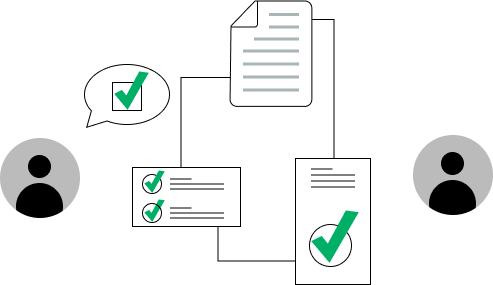
The Three-Way Match (comparing the Purchase Order, Receiving Report, and Invoice) is the gold standard for fraud prevention and payment accuracy. When done manually, it can be tedious, but when automated, it’s a non-negotiable internal control.
- The Digital Fix: Integrate your AP software with your Procurement or ERP system. This allows the system to automatically compare documents digitally. If the amounts or quantities match within an acceptable tolerance, the invoice can be flagged for Straight-Through Processing—no human touch required.
- The Result for AP: Payments are only approved when verified, preventing overpayments and protecting the company from the risk of fraudulent or duplicate invoices.
Implement Rules-Based Approval Workflows
In a manual AP process, approvals are a huge cause of bottlenecks. Invoices sit on a manager’s desk for days, resulting in missed due dates and late fees.
- The Digital Fix: Design an automated approval workflow. This system routes the invoice based on specific rules you define:
- Amount: Invoices over $5,000 go to the CFO.
- Department: Marketing expenses go to the Head of Marketing.
- Vendor: Key supplier payments go directly to the Treasury team.
- Mobile Access: Approvers can sign off from anywhere using a mobile device, eliminating delays caused by travel or remote work.
- The Result for AP: Cycle times are drastically reduced. Instead of taking weeks, the time from invoice receipt to approval can be cut to mere days.
Optimize Cash Flow with Strategic Payment Timing
An efficient AP process allows your finance team to make smarter decisions about when to pay vendors. This is where AP becomes a true cash management partner.
- The Digital Fix: Use your AP dashboard to gain real-time visibility into your liabilities. The system should automatically flag invoices eligible for Early Payment Discounts (e.g., 2/10 Net 30).
- The Result for AP: You can choose to pay early to capture a valuable discount, or you can strategically hold payment until the exact due date to maximize your Days Payable Outstanding—all while avoiding late fees.
Measure and Improve with Key Performance Indicators
You can’t optimize what you don’t measure. An antiquated AP process offers little data; a modern process provides a wealth of strategic insight.
| KPI to Track | Why It Matters |
| Cost Per Invoice | Measures labor efficiency; automation typically reduces this significantly. |
| Invoice Processing Time | Identifies bottlenecks in the approval chain. |
| Early Payment Discount Capture Rate | Quantifies the amount of savings AP is generating. |
| Error Rate | Tracks the number of duplicate or incorrect payments made. |
By tracking these KPIs, your AP department can continually refine its workflows, making incremental improvements that drive significant bottom-line results.
- The paper has to go.
- Create strong workflows.
- Optimize payment times to get discounts.
- It’s time to start tracking KPIs.
Learn More
The evolution of AP from a paper-laden cost center to an integrated, strategic financial function is essential for modern business success. By embracing automation and implementing these best practices, your organization can ensure that your accounts payable AP process is robust, secure, and actively contributing to your company’s financial health.